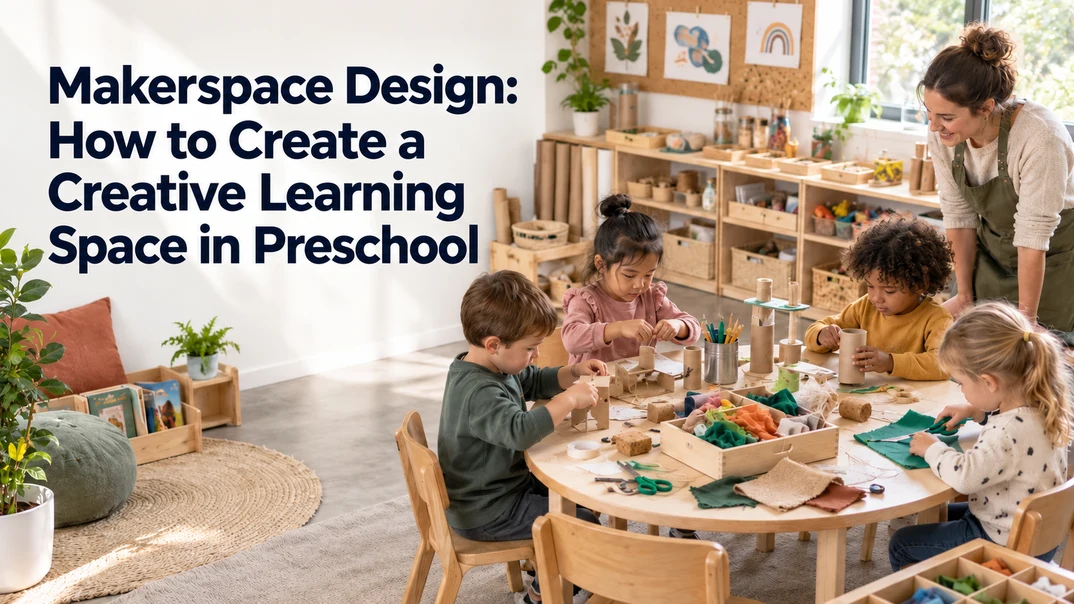
A good makerspace gives children room to build, test ideas and come back to projects they have not finished. The design matters because even a small area can become difficult to use when tables are crowded, materials are out of reach or there is nowhere to leave ongoing work. This guide walks you through planning the layout, choosing furniture, organizing materials and avoiding common setup problems in your preschool classroom.
How Does Makerspace Design Support Preschool Learning?
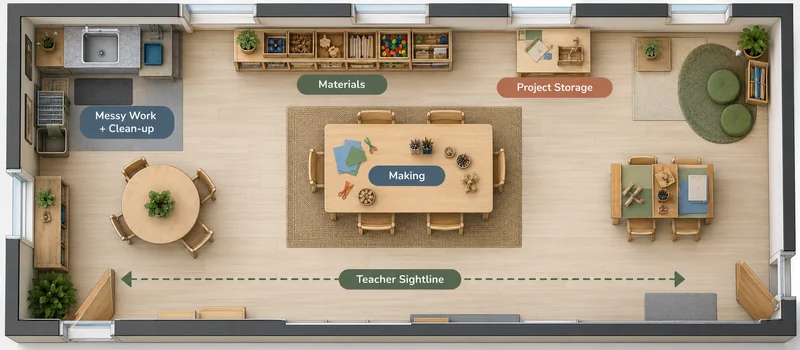
A preschool makerspace gives children a place to explore their own ideas through hands-on work. You might provide cardboard, paper, fabric, blocks, loose parts, or simple construction materials. What matters is not how many materials you have, but whether children can make choices and use them in different ways.
When a child builds something and finds that it does not work, they can change the design and try again. This process can support creative thinking, problem solving, decision making, and communication. Research on young children’s design thinking in makerspaces has also explored how making activities can support these kinds of learning experiences. Research on young children’s design thinking in makerspaces
Your makerspace should make this process easy. Children need enough room to work, materials they can safely access, and a place to keep something they are not finished with yet. If they have to take apart every project at the end of the day, part of the value of making is lost.
How to Plan a Makerspace Layout?
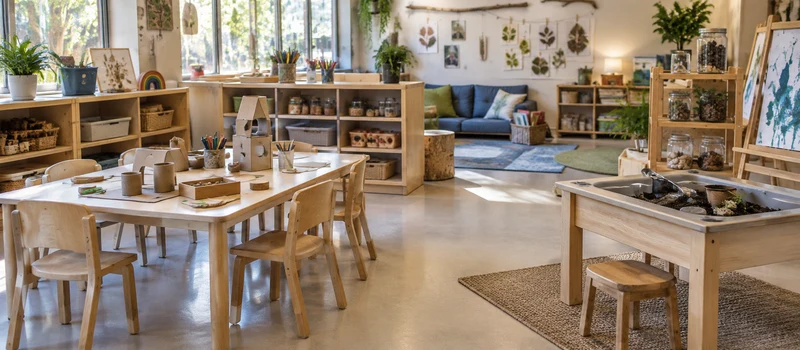
Your layout should make it easy for children to move between the main parts of the activity without making the makerspace interfere with the rest of your classroom. Start by choosing a location that fits naturally into the existing room, then decide how much space you can realistically give to making.
Choose a Location That Fits Your Classroom
You don’t need a separate room for a makerspace. A corner or section of an existing classroom can work well as long as children can reach the area easily and you can keep an eye on what is happening.
Think about what happens around the space during the day. If children need to carry materials through a busy walkway or regularly cross another learning area to reach the makerspace, the location may become inconvenient. If you often use glue, paint or other messy materials, being closer to a sink or easy-to-clean surface can also make your daily routine easier.
Your makerspace should also fit into your wider classroom plan. If you’re redesigning several areas at the same time, consider it as part of your overall preschool classroom layout rather than planning it in isolation.
Give Each Activity Enough Working Space
Once you’ve chosen the location, think about the activities children will actually do there. You may need a table for smaller projects and enough open space for children to build something that cannot stay on a tabletop.
You don’t have to create separate rooms or fixed zones for every function. A simple setup can include:
| Area | Purpose |
|---|---|
| Material Area | Gives children a clear place to choose supplies. |
| Work Area | Provides a stable surface for making and experimenting. |
| Open Area | Allows larger projects to extend beyond the table. |
| Cleanup Area | Makes it easier to finish activities and reset the space. |
The exact arrangement depends on your classroom. The important thing is that each activity has enough room to happen without creating unnecessary obstacles.
What Furniture Do You Need for a Makerspace?
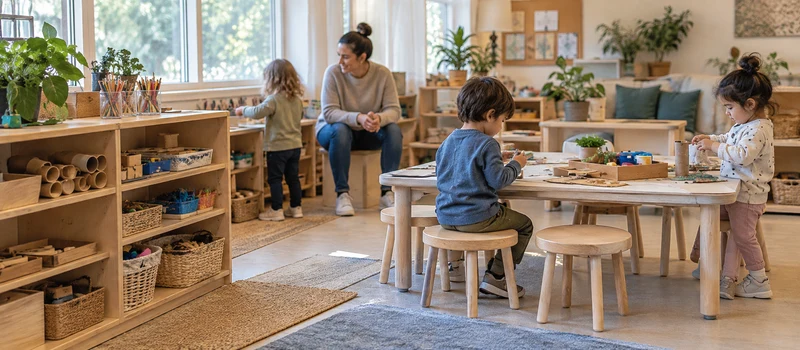
You do not need a room full of specialised makerspace furniture. A few well-chosen pieces can often give you more flexibility than filling the room with equipment.
| Furniture | Useful Role | Check Before You Choose |
|---|---|---|
| Activity or Maker Table | Building, joining, planning, and testing | Surface size, child height, and stability |
| Round or Rectangular Table | Shared or individual work | Space for materials, chairs, and supervision |
| Mobile Cart | Moving materials or supporting messy work | Wheel stability, footprint, and parking space |
| Low Open Shelf | Materials children can choose and return | Reach, stability, visibility, and sightlines |
| Project Shelf or Trays | Unfinished work between sessions | Capacity, labels, and easy retrieval |
Choose furniture according to the work you expect children to do. A rectangular table may make it easier to organise paper and trays, while a round table can work well for shared projects. A mobile unit can give you flexibility, but only if you have somewhere safe to keep it when it is not being used.
Do not forget about open space. If every part of the room is occupied by furniture, children may have nowhere to build larger projects or test what they have made.also look at how preschool learning center furniture can serve more than one activity area.
How to Organize Makerspace Materials and Storage?
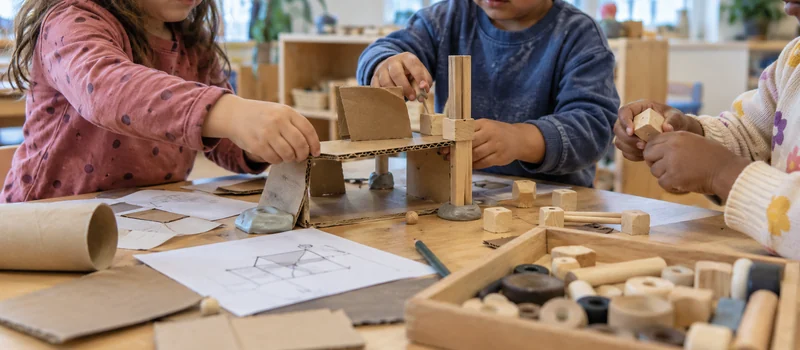
Once your furniture is selected, the next question is what children will see and use every day. Your storage system should make materials easy to recognize and return without putting every supply you own on display.
Group materials according to how children use them rather than simply by what they look like. Building materials can go together, joining materials can have their own containers and creative materials can be grouped separately. Simple picture labels can help younger children understand where things belong.
Give Children a Manageable Selection
You don’t need to put every material in the makerspace at once. Too many choices can make the space difficult to navigate and harder to maintain.
Instead, keep a useful selection available and rotate materials according to children’s current interests. If children are exploring vehicles, you might make wheels, tubes, cardboard and joining materials easier to find for a period of time. Later, you can change the selection when their projects move in another direction.
This also gives you a practical way to introduce new materials without constantly expanding the amount of storage you need.
Keep Extra Supplies Separate
The materials children use independently do not need to be the same as your entire classroom inventory. Keep extra stock in adult-managed storage and refill the makerspace when necessary.
This helps you keep the everyday area simple while still having additional materials available when a project calls for them. It also makes it easier to see what children are actually using instead of having useful materials disappear into an overcrowded shelf.
How to Design a Safe and Accessible Makerspace?
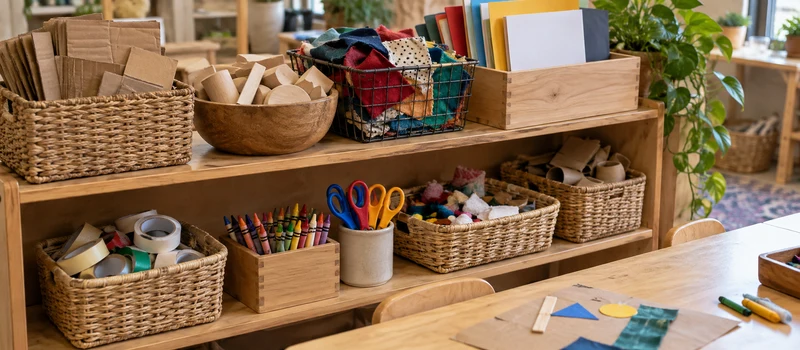
Safety and accessibility should be considered from the beginning of your makerspace design. You want children to have enough independence to choose materials and work on their ideas, while the space and tools remain appropriate for their age and abilities. Start by checking that furniture is stable, walkways are clear and materials are in good condition.
Choose Age-Appropriate Materials and Tools
Not every material needs to be handled in the same way. Everyday materials such as cardboard, paper and larger building pieces may be suitable for independent use, while scissors, adhesives or other tools may require closer supervision. Check recycled materials before placing them in the makerspace and remove anything with sharp edges, staples, broken parts or other potential hazards.
Make the Space Easy for Children to Use
Look at the makerspace from a child’s point of view. Can they reach the materials they are expected to use? Is there enough room around the worktable? Can they move between the material and work areas without bumping into furniture or other children?
You can also provide different ways to work when possible. Some children may prefer sitting at a table, while others may need more room to work on the floor. Small adjustments to furniture placement, seating and material access can make the same makerspace easier for more children to use.
Your final setup should also meet the childcare licensing, building, fire and accessibility requirements that apply to your location.
Common Makerspace Design Mistakes to Avoid
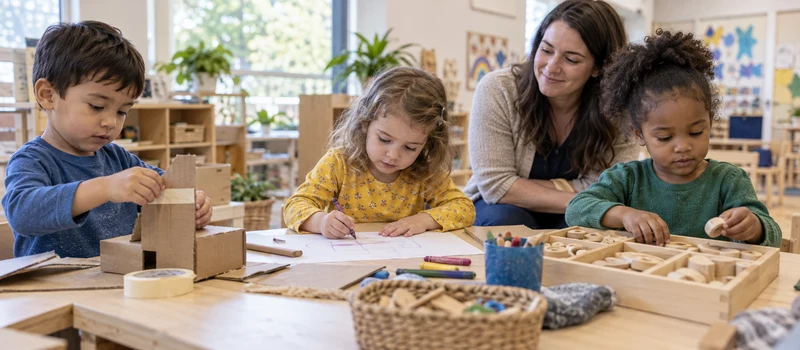
Many makerspace problems only become obvious after children start using the space. Instead of focusing only on how the area looks when it is finished, think about what could make everyday use difficult.
- Designing the space around furniture instead of activities. A room may look neatly arranged but still leave children without enough room to build. Start with the activities and then choose the furniture that supports them.
- Making the space too complicated. You don’t need separate furniture and storage for every type of making. A simple setup is often easier for children to understand and easier for you to maintain.
- Treating storage as an afterthought. If you decide where materials will go only after the furniture is installed, shelves and containers may end up in inconvenient places. Think about storage as part of the original design.
- Putting everything within reach. Independent access is useful, but it doesn’t mean every tool and material should be available without supervision. Decide which items children can choose freely and which ones need teacher support.
- Ignoring how the space changes over time. Your makerspace may work well for one type of project and become crowded when children’s interests change. Leave enough flexibility to adjust materials and furniture rather than treating the original arrangement as permanent.
- Designing for appearance instead of use. A makerspace doesn’t need to look like a professional workshop. If children can find materials, work comfortably and explore their ideas, the space is doing what it needs to do.
FAQs
1. What Age Group Is a Preschool Makerspace Suitable For?
A makerspace can be adapted for different preschool age groups. The main difference is the complexity of the materials, tools and activities you offer. For younger children, you may focus on simple joining, stacking and material exploration, while older preschoolers can work on more involved building and problem-solving projects.
2. How Long Should a Makerspace Activity Last?
There is no need to set every makerspace activity to the same length. Some ideas can be explored in a short session, while larger projects may continue over several days. Giving children enough time to return to an idea can be more useful than asking them to finish something within one fixed period.
3. Should Children Work on the Same Makerspace Project?
Not necessarily. You can introduce a common challenge or provide the same group of materials, but allow children to decide what they want to make. This gives you a shared starting point without turning the makerspace into an activity where everyone is expected to produce the same result.
4. How Can You Introduce a Makerspace to Children for the First Time?
Start with a small number of familiar materials and let children explore how they can be combined. You can introduce simple expectations for using the space, then give children time to experiment before adding more complicated tools or challenges.
5. How Can You Document Children’s Makerspace Learning?
You can use photographs, short observation notes and children’s explanations of their projects. Instead of focusing only on the finished object, pay attention to how children approached a problem, changed their ideas or explained why they made a particular choice.
6. What Should You Do When Children Don’t Know What to Make?
You don’t need to give them a finished example to copy. A simple question or challenge can give them somewhere to start, such as asking how they could make something stand up or how they could move an object from one place to another. The goal is to provide an idea to explore without deciding the final result for them.
Conclusion
A good makerspace makes it easier for children to work with their ideas and for teachers to manage everyday activities. Start with a practical layout, choose furniture that suits the work and adjust the space after seeing how children use it. If you are planning a new makerspace or improving an existing classroom, West Shore can help you choose suitable furniture and storage solutions for your project.